A refurbished laptop can be a useful purchase when its condition, support, and return terms match your needs. The word refurbished alone does not tell you who examined it, what was replaced, or how long it will remain practical. Treat the listing as the start of an inspection. Your task is to establish exactly what is being sold and whether you have a workable remedy if the machine arrives with a problem.
Describe the job before comparing listings
Write down the applications and activities the laptop must handle. Reading documents and joining video calls creates different demands from editing large photographs or running specialized design software. Include the number of external monitors, the accessories you already own, and whether you need to work away from an outlet. These details help you reject unsuitable machines before an attractive discount distracts you.
Next, check your essential software’s current requirements and licensing terms. An application that runs on your old computer may need a different version on another operating system or processor architecture. A listed specification is not a guarantee that a particular workflow will feel comfortable. If an employer or school requires managed software, ask its support team about supported hardware before choosing a machine you cannot use for its intended purpose.
Identify the exact machine
Ask for the full model identifier, processor model, installed memory, storage capacity, display specification, and keyboard layout. Broad labels such as business laptop or powerful processor are not enough. Two machines with the same product family name can have substantially different internals. Compare the actual configuration with the manufacturer’s documentation, and clarify any disagreement before paying rather than assuming the more favorable description is correct.
Check operating system compatibility directly. Microsoft’s Windows 11 requirements include more than memory and storage; processor eligibility and security capabilities also matter. A seller’s claim that Windows is installed does not establish that the installation is officially supported. For any platform, investigate its current update support and your expected ownership period. A cheap device becomes less appealing if it soon requires an unsupported workaround for ordinary use.
Separate cosmetic grade from functional condition
A grade describing scratches is not a battery report. Ask what the seller tests and what its condition labels mean. Find out whether the display has marks, bright spots, or uneven lighting; whether hinges remain firm; and whether every port works. Photographs should show the actual unit when possible. Stock images can demonstrate the model’s design without revealing the condition of the item that will arrive.
Battery health deserves its own question. Ask for the stated testing method, any minimum condition promised, and whether battery problems are covered by the return policy or warranty. Do not assume that an excellent looking case contains a recently replaced battery. Also confirm which charger is supplied and whether it meets the manufacturer’s requirements. An unsuitable adapter can create an extra purchase before you can properly evaluate the laptop.
Check ownership and management locks
The device must be ready for a new owner, without another person’s account lock or an organization’s enrollment requirement. Ask the seller to confirm that it has been released from any previous management system. A laptop that starts normally at a demonstration may still reveal an enrollment screen after a reset. You need to be able to complete a clean setup under your own account.
For an in person inspection, have the seller demonstrate the relevant ownership release and setup process without asking them to expose private information. For an online order, obtain the promise in the listing or written sales record. If setup demands an unknown organization’s credentials, stop and contact the seller. Avoid instructions that bypass ownership controls; a legitimate usable purchase should not depend on defeating someone else’s restrictions.
Read the terms like a troubleshooting plan
Locate the return deadline, who pays return shipping, and whether restocking charges apply. Clarify how the warranty handles batteries, accidental damage, and replacement parts. The FTC’s marketplace guidance emphasizes researching sellers and understanding terms, which is especially useful when a marketplace and an individual seller have different responsibilities. Save the listing, invoice, condition description, and any written promises while the purchase details are still visible.
Calculate the complete cost, including necessary adapters, storage upgrades, software, and likely repairs. Check whether memory or storage is actually replaceable on that exact model before budgeting for an upgrade. Some components cannot be changed in an ordinary user upgrade. Compare the resulting total with alternatives that have the support and warranty you need, rather than comparing only the headline price.
Use the return window for realistic checks
When the laptop arrives, inspect it promptly and document shipping damage. Complete setup, install official updates, and test your actual workload. Join a call to check the camera, speakers, and microphone. Type enough to exercise the keyboard, connect your accessories, and test charging. Look for unreliable behavior during normal use rather than running unfamiliar stress tools that add little to your purchase decision.
Keep packaging until you have finished these checks. Record faults clearly, with photographs or brief descriptions where appropriate, and contact the seller before the deadline. A refurbished purchase works best when the machine’s identity, condition, ownership status, and support terms are all understandable. If those points remain vague before purchase, a lower price does not resolve the uncertainty.
Sources
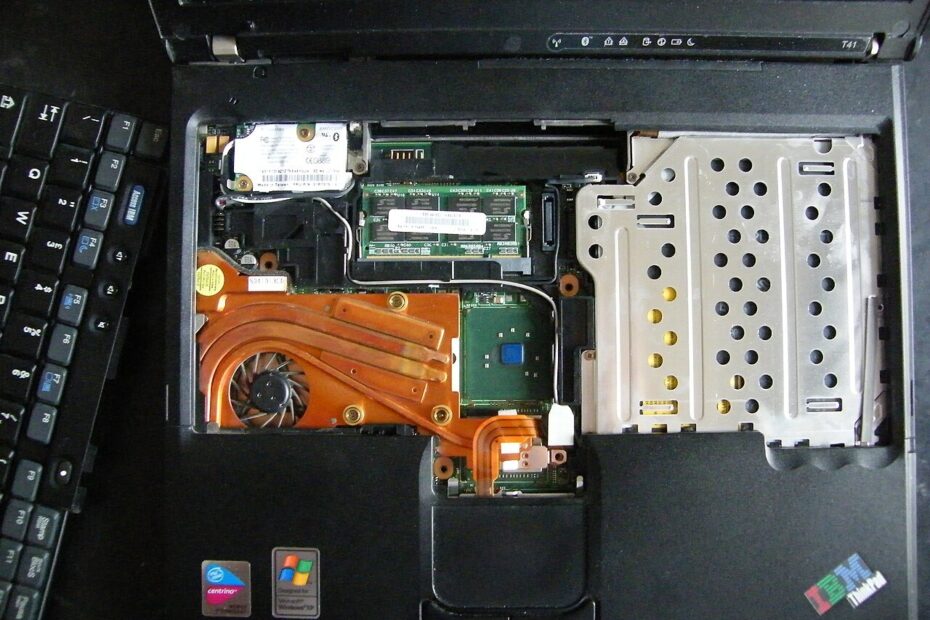
Image: Inside the laptop by Fabexplosive / Wikimedia Commons. CC BY-SA 3.0. Resized and compressed.
